How to Request for Aadhaar PVC Card @residentpvc.uidai.gov.in, UIDAI (Unique Identification Authority of India) has introduced the release of PVC based Aadhaar card. This card is easy to carry and is durable. It will have a digitally signed secure QR code with photographs and demographic details equipped with many security features. UIDAI says that even if your mobile number is not registered with the Aadhaar card, you can order this card.
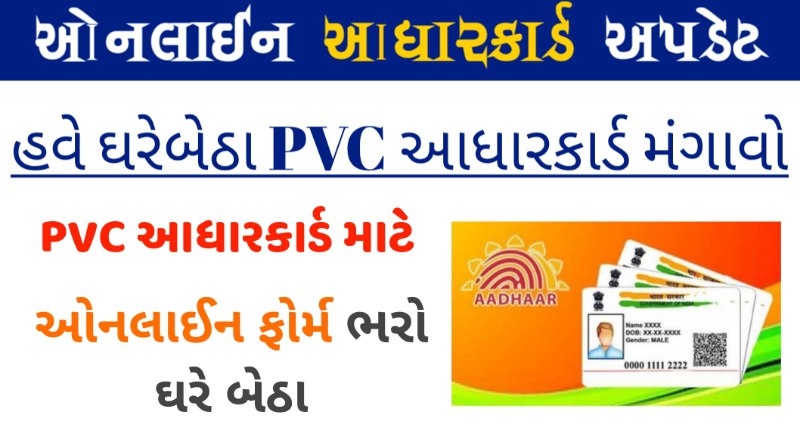
The government, to address this problem, has launched PVC Aadhaar Cards. PVC stands for Polyvinyl Card, which looks similar to the size of an ATM Card. One can carry the PVC Aadhar card in their wallet easily because of its smaller size. Moreover, the citizens can avail of these portable sized Aadhar Cards registering on the official portal residentpvc.uidai portal.

Features of the Aadhaar PVC Card
- It is more durable, convenient to carry
- It has good printing quality and it comes with lamination
- It has the latest security features including a hologram, Guilloche Pattern, ghost image & Microtext.
- The card is completely weather-proof.
- It contains the embossed Aadhaar logo.
How to Request for Aadhaar PVC Card at residentpvc.uidai.gov.in
- First visit https://uidai.gov.in or https://resident.uidai.gov.in.
- Click on ‘Order Aadhaar Card‘ service. [Direct Link]
- Enter your 10-digit Aadhaar number (UID) or 16-digit Virtual Identification Number (VID) or 28-digit enrollment ID.
- Note the security code.
- Select the option of registered number to get OTP. If the mobile number is not registered, fill in the optional number if available.
- Click on ‘Send OTP’.
- Tick ‘Terms and Conditions’ after approval. (Note: Click on the hyperlink and see the details)
- Click ‘Submit’ after completing the ‘OTP’ verification process.
- After clicking on ‘Make payment’, you will be taken to the payment gateway, where you will get the option of Credit / Debit Card, Net Banking and UPI.
- Receipt of payment will be successful, it will have digital signature on it. You will get the service request number on SMS. You can use this number to track the process until the card is delivered.
Important Notes for Request Aadhaar PVC Card
- Order Aadhaar card by paying Rs 50/-(inclusive of GST & Speed post charges)
- Use your Aadhaar Number/Virtual Identification Number/EID to order Aadhaar card.
- Aadhaar card comes with security features i.e. Digitally signed Secure QR code, Hologram, Ghost image, Guilloche pattern etc.
What are the charges to be paid for “Aadhaar Card”?
Order PVC Aadhaar Card: Click Here

Visit Homepage: Click Here